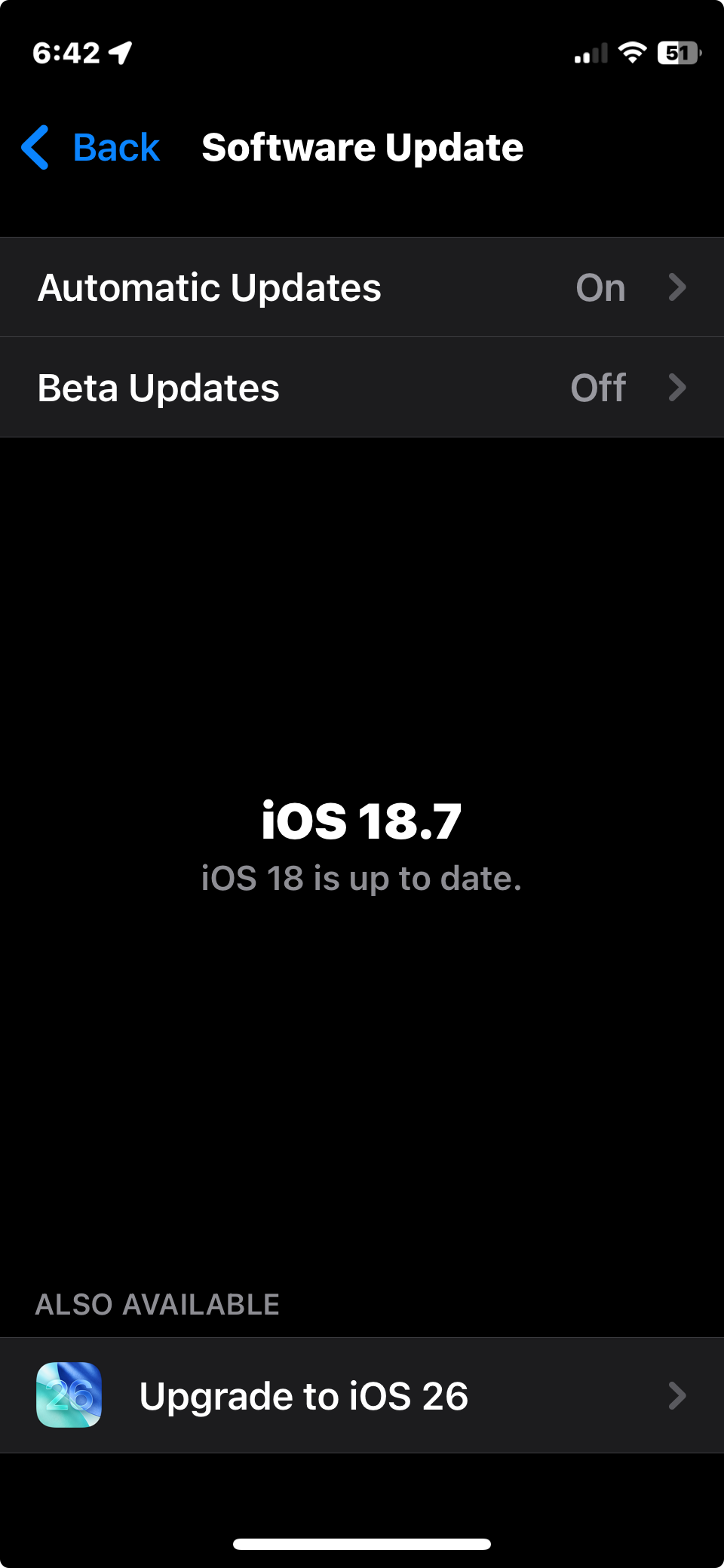
Yep they have switched to a numbering system similar to model-years in the auto industry.
So iOS 26 is the software for 2026.
Yep they have switched to a numbering system similar to model-years in the auto industry.
So iOS 26 is the software for 2026.
There’s a an option to manually migrate to the 26 versions on mine (16), if I scroll down.
It was distracting that they released the last (?) update to last year’s version at the same time as next year’s.
First shipment of 17’s arrived.
How many fell off the back of the truck into your boot?
None, they are guarded more heavily than gold bullion. The processes and protocols you have to go through is phenomenal
I hope they decide to bring out a smaller iPhone air.
The pictures of them look good.
I normally upgrade my phone every two years, but I stopped with the last mini. Absolutely love the size and hate those monster sized phones. Nothing Worse than being a skinny bloke and having a brick in the front of your pants ha ha hah.
That’s a handy way for old people who do understand the internet to keep track of what the year is.
I decided I didn’t need the best camera possible, so I’ve reduced the size of my iPhone by bypassing the Pro’s.
A YouTube iPhone adviser said the Pro’s and ProMax’s give you professional standard cameras.
I purchased a set of AirPods pro3, which are awesome but for one annoying, kinda major issue. so maybe not awesome then…
when in use on calls with either my MacBook or my phone, they get interference from other devices. for instance, my bluetooth trackpad. which is apple btw.
anyone else had this issue? seems ridiculous. especially considering the price.
A post was merged into an existing topic: Best mobile phone plans
Yeah, I just got some iPods and they tend to connect to my iPad when I’m listening to something on my iPhone.
I don’t know if it’s just me, but I am getting sick of pointless and unhelpful changes to Apple stuff.
iPhone. I have an iPhone 16 Pro. I first bought an iPhone when it was I think the 3 GS, and one of the main things that appealed about it, believe it or not, was that there was a simple switch on the side of the phone that turned it from ringtone to silent. At any time, in any place, I could reach into my pocket, feel the phone, and know instantly whether it was on ringtone or silent, and if it was on the wrong setting I could change it to the one I wanted without taking the phone out of my pocket. I was sick and tired of having to find and go through about 3 separate steps on my old Nokia just to turn off the ringtone. Now I have to do that on my current iPhone because the simple on/off switch has been replaced by an “action” button that can be programmed to do all sorts of things like open the camera (there’s actually already another button for that, but hey, I guess two buttons for the same function may appeal to some people) or record a voice memo, etc. I would bet a large amount of money that about 98% of users use the button for switching to silent, just as they used to do. But now, if I want to see what setting my iphone is on, I have to take it out of my pocket and press the action button and look at the screen. Yes I know that you can press the button and get a “haptic response” that tells you whether it’s on or silent, but pressing the button and getting that response actually alters the setting. So all in all, a change that nobody asked for, hardly anybody uses, and makes the phone less convenient. Great idea, Apple.
iPhone example 2. I take a screenshot. Where’s it saved? It used to be saved automatically to Photos. No longer. Now it’s not saved anywhere that I can find unless I scroll through a list of options, pick one of them, and save it there. Does the list of options include saving to Photos? No it does not. Why not? Who the ■■■■ knows, apart from the geniuses at Apple.
Calendar. I am about to travel overseas and have a whole lot of events in my calendar that will occur when I’m away. I’ll be in Europe, ie a different time zone. And I know that when I get to Europe, all the times that I have so carefully entered will be 10 or 11 hours wrong, because they’ll be showing the Australian time zone. Yes, I know that theoretically you can select a “floating” time zone for an event which means that if I enter 3.05 pm for the event here in Australia, then when I get to Europe it will still show the event scheduled fof 3.05 pm. Can I actually do that? No, I can’t. Because when I enter the event as having a floating time zone, it won’t save. I know that because I painstakingly went through and changed all the time zones of the events to “floating”; but when I went back to check, they had all helpfully reverted to Australian Eastern Summer Time. Why won’t the floating setting save? Well, Google search’s AI summary helpfully told me that it might be a bug or it might be something else, but in any event there was nothing I could do about it. Thanks again, Apple. This is on my Macbook Air, by the way. On the iphone, there’s no option to choose a time zone. Gee, thanks.
I’m strongly tempted to switch away from Apple. But I know the others are worse.
Edit. It occurs to me that @Aceman , as a frequent flyer, may know how to solve the time zone problem (if he’s an Apple user). Here I am in Melbourne. I know that on 28 January I will be taking a flight from London to Paris, leaving London at 10.05 am London time and arriving at 10.35 am Paris time. So today, here in Melbourne, I enter the flight leaving at 10.05 and arriving at 10.35. I know that when 28 January comes and I look at my calendar, it will show the flight leaving at 9.05 pm (because that’s 10.05 am Melbourne time). How can I stop that happening? I want it to show the flight leaving at 10.05 am. Does turning off Time Zone Override help?
Screenshots are saved to Photos. The real problem is that Photos on the Mac and Photos on iOS aren’t synchronised.
I set up Assistive Access Under Accessibility menu. That means you can access Screenshot, Volume, Restart and a few others from a single floating button on the screen.
Sorry can’t help with the Timezone issue as all my flights and bookings are on Flighty and TripIt so all my reminders and calendars are through those two apps. I don’t use my phones calendar for anything apart from some work stuff
I don’t know those apps. Can you just use one of them? Which one would you recommend? Is it a general calendar/diary or purely for flights?
TripIt is a holiday app calendar. You can add flights, transfers, hotels, trains etc and you then get alerts for when they are upcoming.
Flighty is purely for flights but it gives you alerts for delays, gate changes, cancellations etc ahead of what the airlines often release (I’ve been sitting in lounges before and got notification of delays and approached staff who have no idea of the delays yet)
Flighty and TripIt can be used seperately or they can be combined and they share data. It’s saved my behind many times when travelling
Thanks. I’ll have a look at them. So if you enter a flight at say 3.05 pm when you’re in Melbourne, and the flight is from say London to Paris, it stays at 3.05 pm whether you’re in Melbourne, Paris, Istanbul or anywhere else?